RAG (Retrieval-Augmented Generation)
Knowledge base to provide precise and contextual information to your assistants
What is RAG?
RAG (Retrieval-Augmented Generation) is a technology that allows your AI assistants to access a personalized knowledge base. By uploading documents, manuals, FAQs, and product catalogs, the assistant can retrieve precise information during the conversation, eliminating the "hallucinations" typical of LLMs.
How It Works
Upload documents
Upload PDF, Word (doc or docx), Excel (xls or xlsx), CSV or TXT
Chunking and embedding
The system divides documents into chunks and creates vector embeddings
Semantic search
During the call, the system searches for the most relevant chunks
Augmented response
The assistant responds using the retrieved information
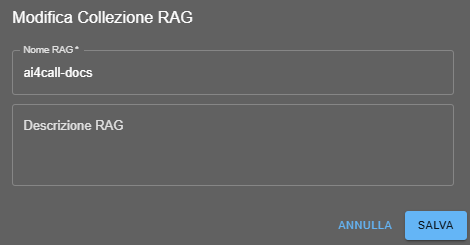
Collection creation (you can create as many as you want)
To create a knowledge base:
- Collection name: identifier to group related documents
- Description: explains the content and scope of the collection
Maximum storage: 100Mb total (all collections)
Upload files
Upload File: upload one or more documents (max 50MB per file)

Supported formats
PDF documents with extractable text
📝 Word
.doc and .docx files
📊 Excel
.xls and .xlsx spreadsheets
📋 Text
.txt files
📚 CSV
Structured data in CSV
Association to Assistants
After creating a collection, you can associate it with one or more assistants.
Management and updating
- Adding documents: add new files to existing collections
- Removing documents: delete obsolete documents
- Re-indexing: regenerate embeddings after changes
Best practices
- Structured documents: use well-formatted documents with clear headings and sections
- Avoid redundancy: do not upload duplicate information
- Regular updates: keep the knowledge base updated
Use cases
📚 Corporate FAQs
Upload frequently asked questions to answer automatically
📖 Product manuals
Provide technical support based on official manuals
🏢 HR documents
Answer questions about company policies and benefits
📋 Catalogs
Information on products, prices and availability
⚖️ Regulations and compliance
Responses based on industry regulations and standards
🎓 Training material
Knowledge base for training and onboarding
There is no fixed limit to the number of documents per collection. You can upload all documents necessary for your knowledge base, with an overall limit of 100Mb for collections. However, we recommend keeping collections focused on specific topics to improve response relevance.
The maximum size for each individual file is 50MB. If you have larger documents, we recommend splitting them into smaller files or compressing images contained in the documents.
Yes, just upload a new version of the document (the system will replace the old one) by doing re-indexing.
You can create as many collections as you want with document uploads up to a total of 100Mb. Each collection can be optimized for a specific topic (e.g., product FAQs, technical manuals, HR documents) and associated with appropriate assistants.
If you upload documents with conflicting information, the assistant might retrieve both versions. For this reason, we recommend keeping the knowledge base updated and consistent. In case of conflicts, the system tends to prioritize more recent information.
Absolutely yes. A RAG collection can be associated with one or more assistants simultaneously. This allows you to share the same knowledge base between different teams or applications.