
Usage and Top-ups
AI4CALL uses a prepaid credit system that allows you to use all platform services for both "package plans" and pay-as-you-go. Each operation (phone calls, AI processing, RAG usage, SMS sending) consumes a small portion of your credit. You can top up credit at any time via credit card. The system is completely transparent: every operation is tracked with cost details and you can consult the complete history of transactions in real time.
4 TABS
blabla
Calls
List of Inbound and Outbound calls
Top-ups Made
List of top-ups made
RAG Collection Amounts
List of amounts charged for creating RAG Collections
SMS
List of SMS-AI4CALL package purchases
[ TAB 1 ] Calls - Inbound
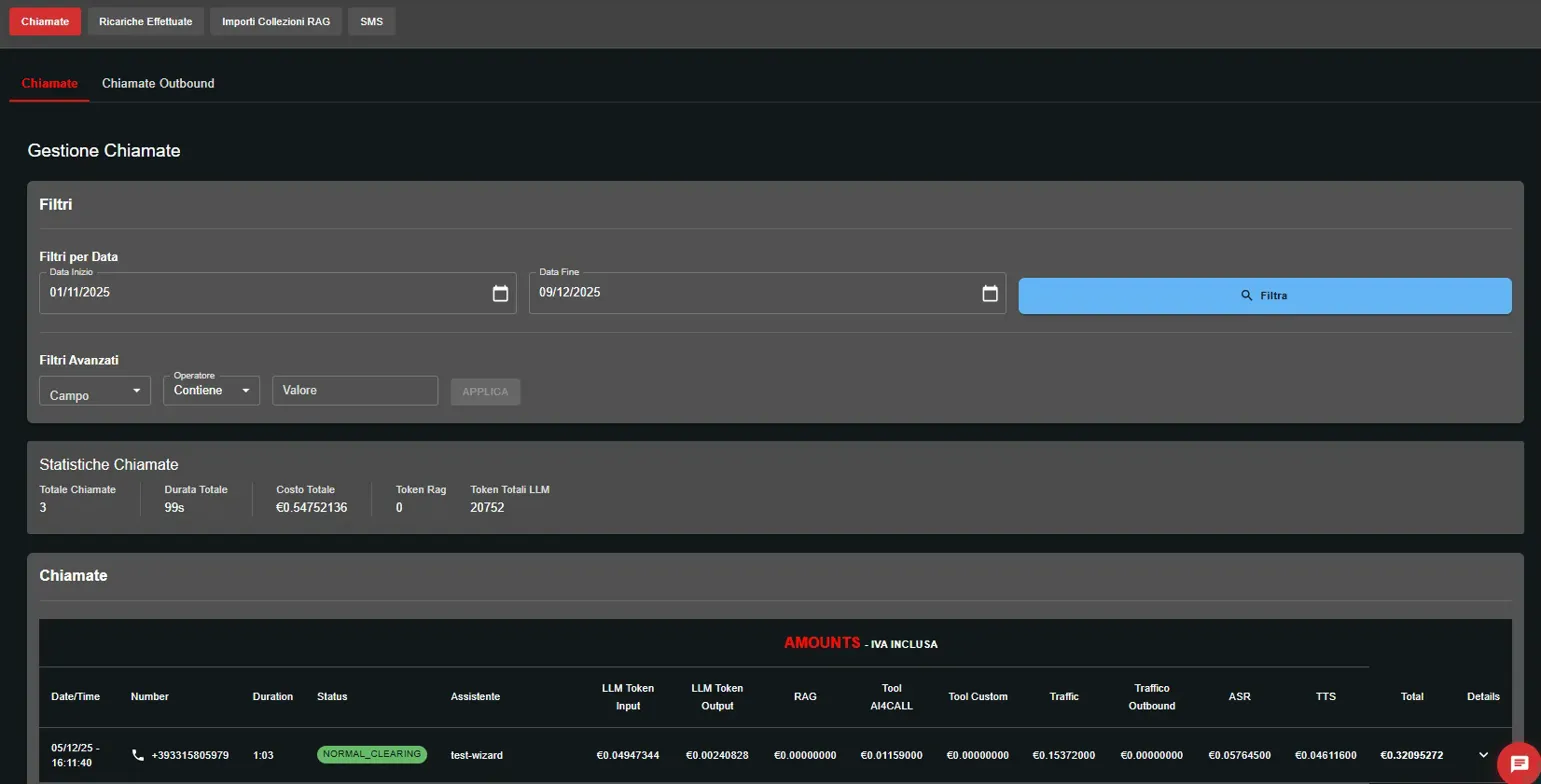
The Inbound Calls section allows you to monitor all phone calls actually handled by your AI assistants, regardless of how the call was initiated (direct Inbound or bridge from Outbound).
In the case of outbound calls, when the recipient answers the call is bridged to the AI assistant. From that moment the conversation is handled by the assistant and is therefore recorded among Inbound Calls.
In Outbound Calls, on the other hand, all calls originated by the system are visible, with their outcome (answered, no answer, busy, etc.), even if the call was subsequently taken over by the AI assistant.
- 🔍 Advanced filters: search by date, number, assistant, call status
- 💰 Cost details: LLM input/output tokens, RAG, custom tools, telephone traffic
- 📱 Call information: caller number, duration, status (NORMAL_CLEARING, BUSY, etc.)
Each call shows the total cost broken down by category: LLM tokens, RAG, AI4CALL tools, custom tools, ASR, TTS and traffic.
For "package" plans ("Scale" and "Boost") the cost is calculated based on the duration of the single phone call according to the prices and usage conditions.
For the "pay-as-you-go" plan ("Freedom") the cost is calculated based on duration, AI model used and related tokens used, use of RAG and tools.

By clicking on a call, you can view the complete cost breakdown:
🤖 LLM Tokens
Input: tokens sent to the AI model
Output: tokens generated by the model
Cost calculated based on provider (Anthropic, OpenAI, Gemini, others)
📚 RAG
Cost for querying the knowledge base (RAG collections) during conversation
🛠️ AI4CALL Tools
Usage of integrated tools (hangup, transfer, etc.)
⚙️ Custom Tools
Cost for execution of custom tools connected via MCP
🎤 ASR/TTS
Speech-to-Text and Text-to-Speech for telephone conversation
📞 Traffic
Cost of telephone traffic based on duration and destination
[ TAB 1 ] Calls - Outbound
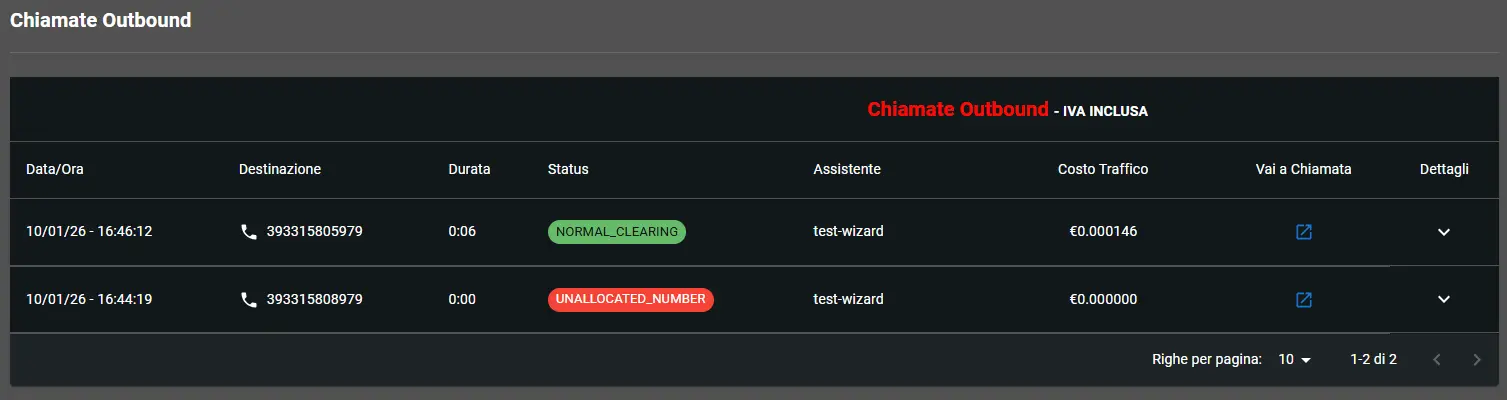
The Outbound Calls section allows you to monitor all calls made both via AI4CALL Trunk and via your PBX.
- 🔍 Advanced filters: search by date, number, assistant, call status
- 💰 Cost details: telephone traffic (in case of using AI4CALL Trunk)
- 📱 Call information: called number, duration, status (NORMAL_CLEARING, BUSY, etc.)
The Go to Call icon redirects to the call handled by the AI Assistant which is in "Inbound Calls"
[ TAB 2 ] Top-ups Made
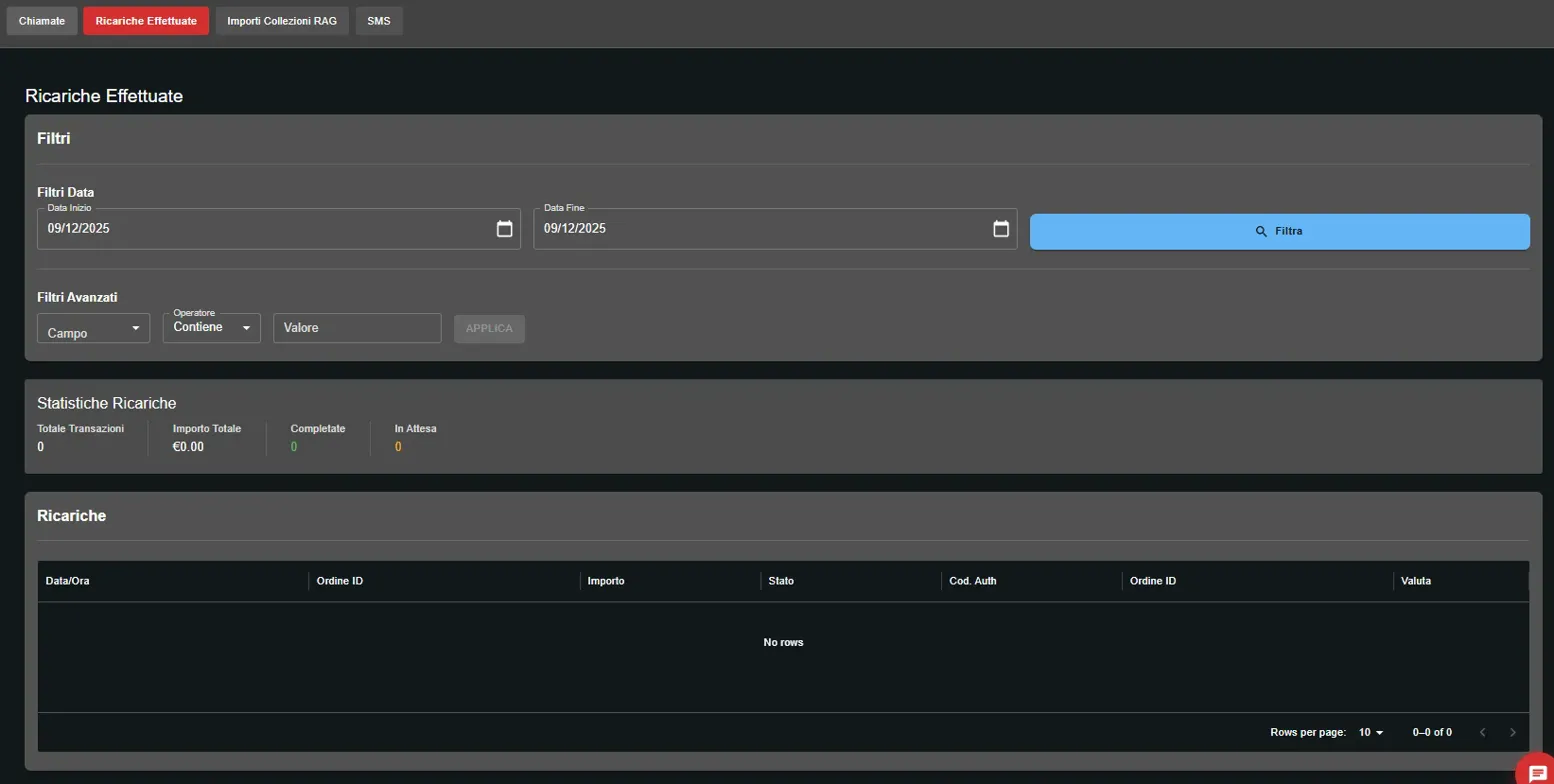
In the Top-ups Made section you can consult the complete top-up history:
- 🔍 Advanced filters: search by date range, amount, status
- 📈 Transactions: top-up history
[ TAB 3 ] RAG Collection Amounts
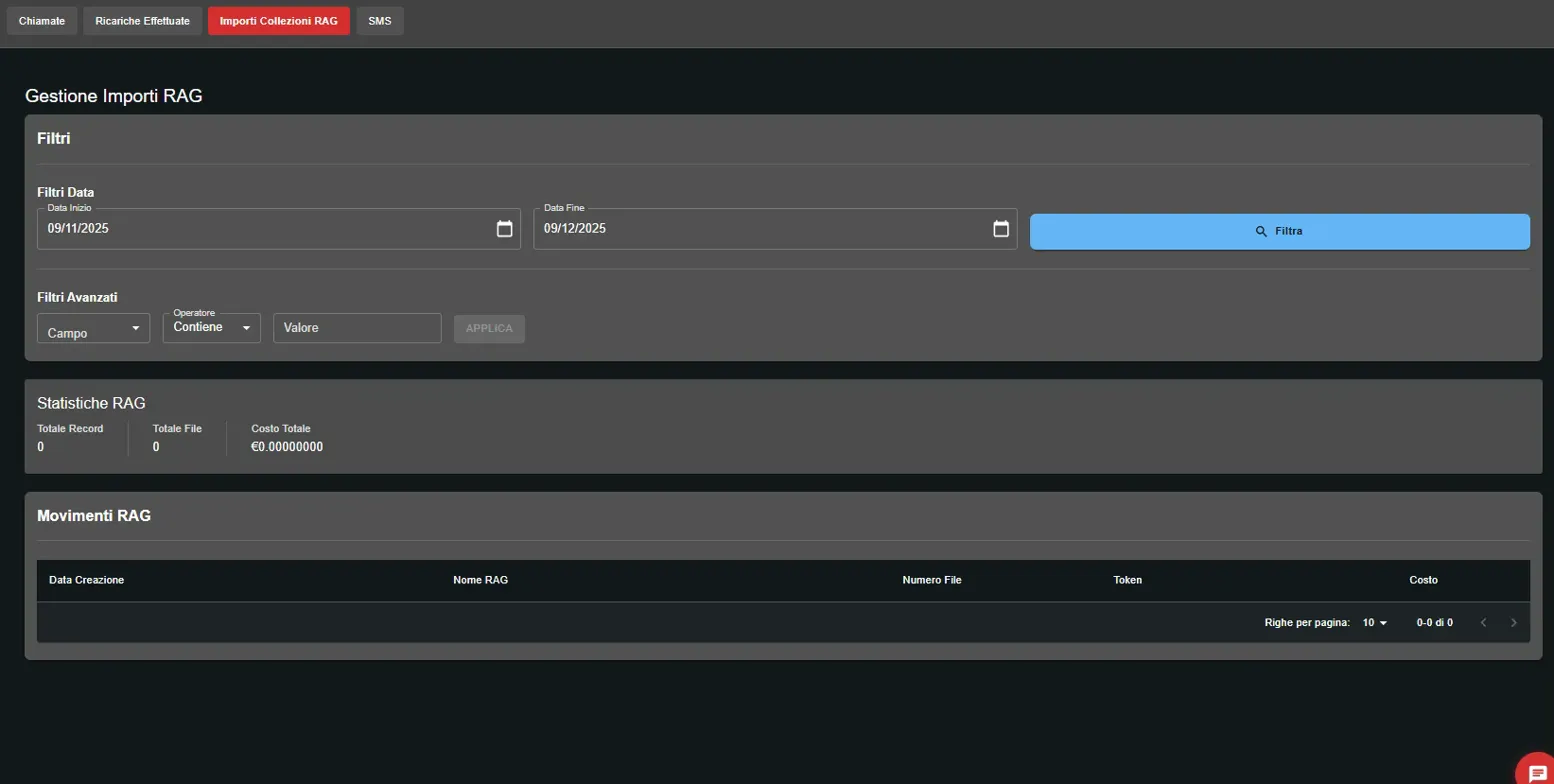
The RAG Collection Amounts section tracks knowledge base usage costs:
- 🔍 Advanced filters: search by collection name, date range, cost
- 📈 RAG transactions: history of collection creation, file uploads, embedding tokens
What is charged in RAG?
- Embedding creation: When you upload documents to the collection
[ TAB 4 ] SMS
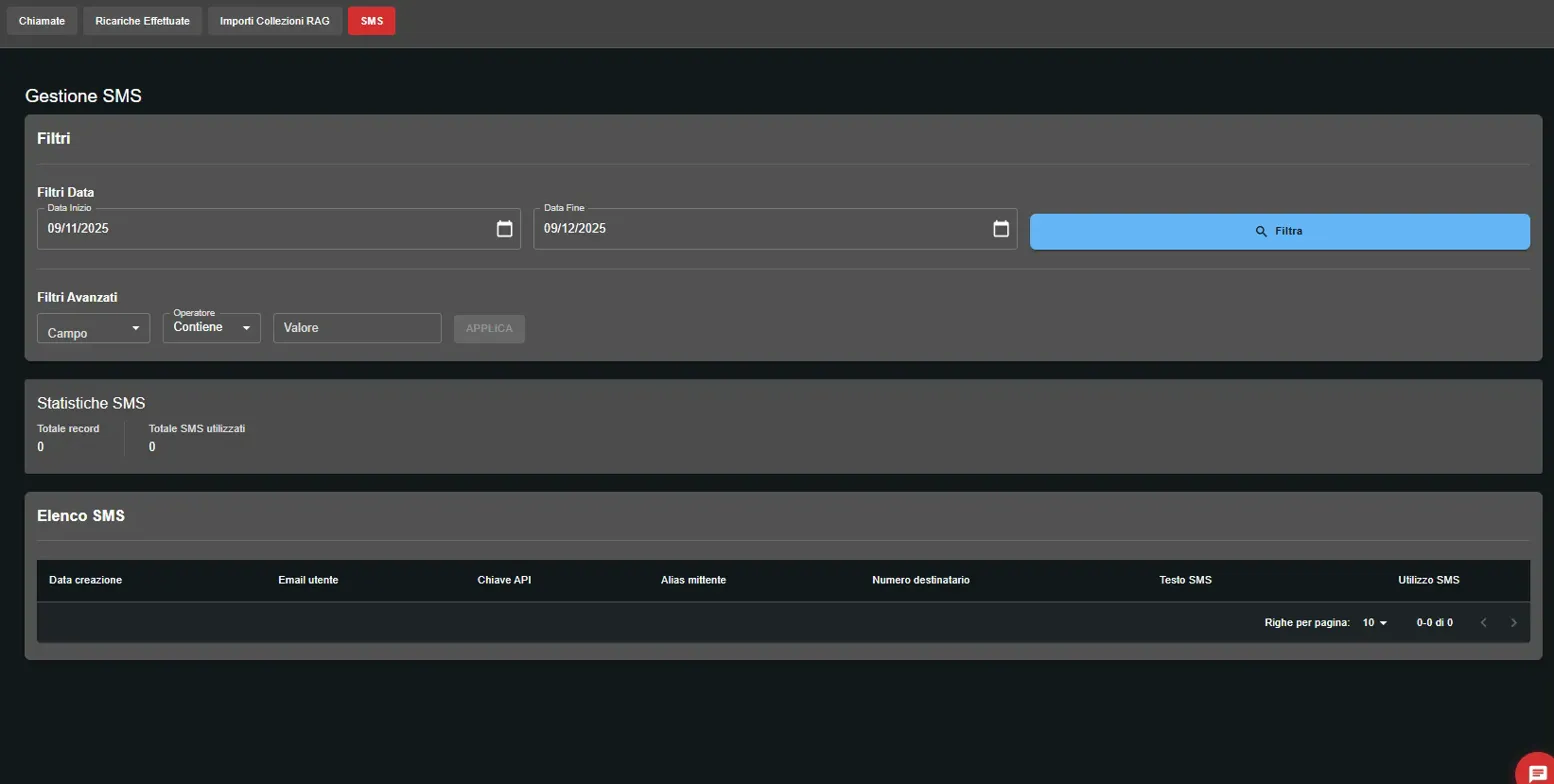
In the SMS section you can monitor SMS sending via your AI assistants:
- 🔍 Advanced filters: search by date range, recipient
- 📈 SMS transactions: list of sent SMS
In the package plan (Boost / Scale) the cost is per minute and includes multiple services in a single rate. In the pay-as-you-go plan (Freedom) each component is billed separately based on actual usage.
In package plans the cost is calculated per minute, based on the duration of the single phone call, according to the prices and conditions of the active plan.
The per-minute cost includes: TTS and ASR, LLM (GPT-4o), Google Voices, RAG Usage, Plugin Tools usage (MCP calls)
Not included: Creation of RAG Collections (€ 0.00000035 + VAT per token), Paid plugins (e.g., SMS AI4CALL), Outbound calls with AI4CALL Trunk (€ 0.012 + VAT/min), AI4CALL Numbers (€ 3.00 + VAT/month), Plugin testing costs (input/output tokens)
In the pay-as-you-go plan (Freedom) costs are calculated separately based on: Call duration, LLM tokens (input and output), RAG Usage, Tool and Plugin usage, ASR, TTS and telephone traffic
Yes, RAG usage during calls is included in the per-minute cost of package plans. Creation of RAG collections is always pay-as-you-go.
No. Outbound calls made via AI4CALL Trunk are always billed separately, even in package plans.
Usage of Plugin Tools is included, but any paid plugins (e.g., SMS) have separate costs.
In package plans the included LLM model is GPT-4o. The choice of different models is available in the pay-as-you-go plan.
Each call and operation is tracked in detail in the Usage section, with clear separation between included and extra costs.
In the pay-as-you-go plan (Freedom) each service is billed based on actual usage. You pay separately for calls, LLM tokens (input and output), RAG usage, ASR, TTS, telephone traffic, Tools and Plugins. There are no included costs or bundles: each item is tracked and billed transparently.
Costs are charged when you upload documents and the system generates "embeddings" (indexing).
Use the "Calls" tab and the available "Advanced filters". You can narrow your search by entering the date range, caller number, name of the AI Assistant that handled the call, or status (e.g., answered or busy). This allows you to quickly find any past conversation.
In the "Top-ups Made" tab you find the complete history of all incoming transactions. Here you can verify the date, amount and status of each transaction. If you have doubts about a payment, this is the section to check that funds have been credited correctly.