
API Keys Management
API Keys allow you to integrate AI4CALL with your applications and call services via REST API.
Currently AI4CALL provides 2 APIs, both for making outbound calls. Here is the link to the outbound APIs [ LINK ]
Create a new API Key
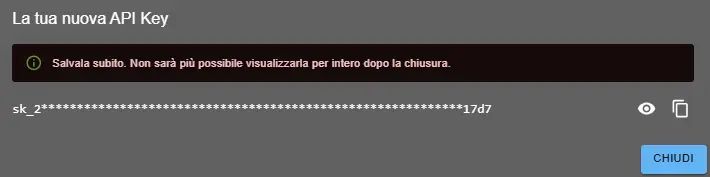
- Click on + NEW API KEY
- Your key will be generated and shown only once
- ⚠️ IMPORTANT: Copy and save the key immediately in a secure location
- After closing the window, you will only see an obfuscated version (e.g.: sk_2*****17d7)
Keys Management
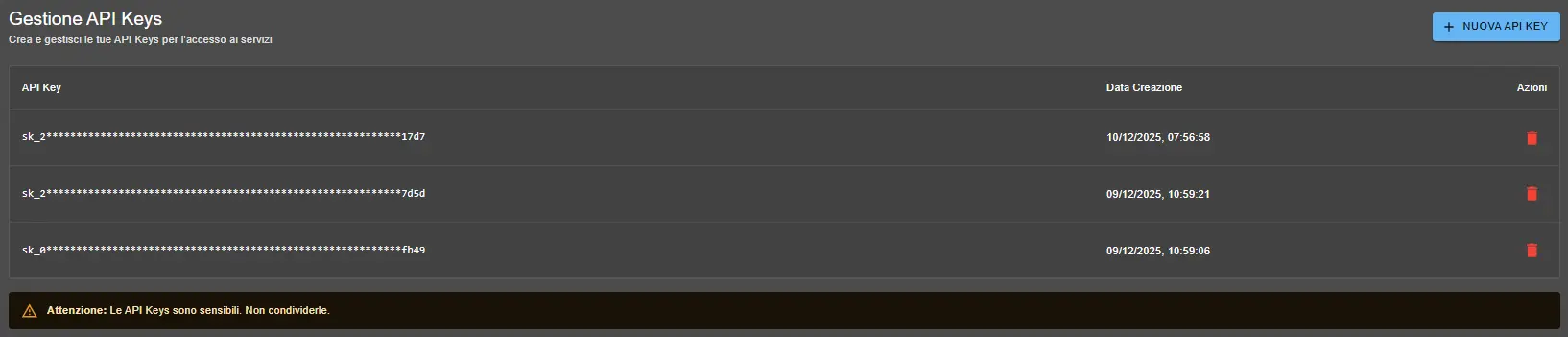
In the API Keys Management table you can:
- View all your active keys (in obfuscated format)
- See the creation date of each key
- Delete keys you no longer use by clicking the 🗑️ icon
Note: If you lose an API Key, it cannot be recovered. You will need to delete it and create a new one.
How to Use API Keys
Include your API Key in the authentication header of HTTP requests:
Authorization: Bearer sk_YOUR_API_KEY_HEREFor complete documentation of available APIs, consult the API Documentation section.
No, for security reasons API Keys are only shown at creation time. If you lose a key, you must delete it and create a new one.
There are no limits to the number of API Keys. You can create several to separate environments (production, development) or different applications.
Immediately delete the compromised key from the API Keys Management section and generate a new key for your applications.