
My Plugins
Manage all plugins you have installed from the Marketplace. From here you can configure them, activate or deactivate them and check their status.
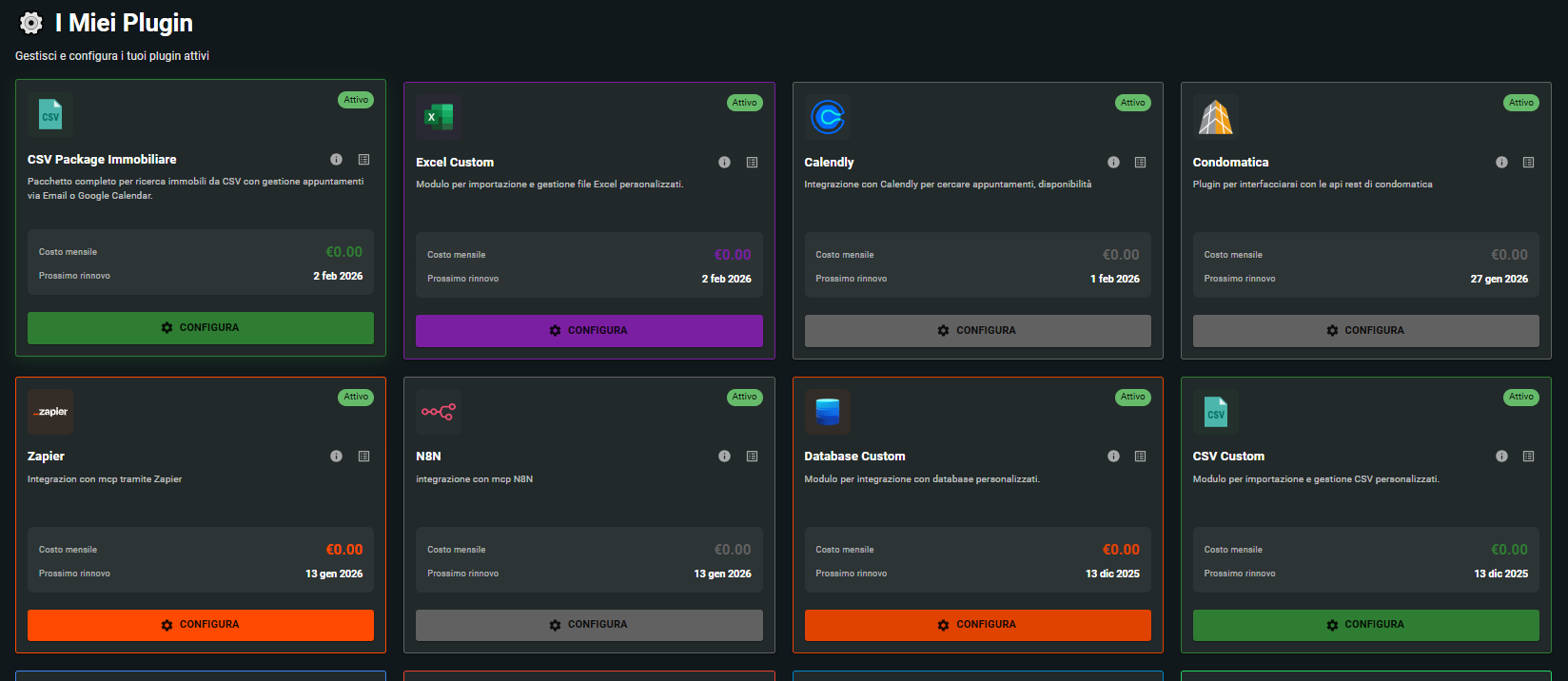
Explore and test your plugins
Each installed plugin provides one or more tools that your AI assistant can use. Here's how to discover what each plugin can do:
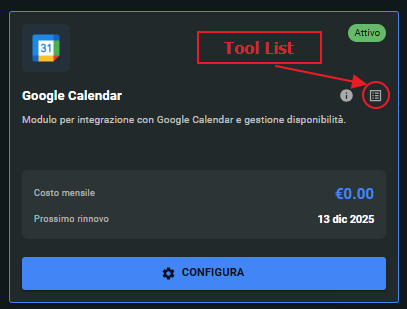
Open the Tools list
Click on the Tool List icon next to the plugin to view all available tools.
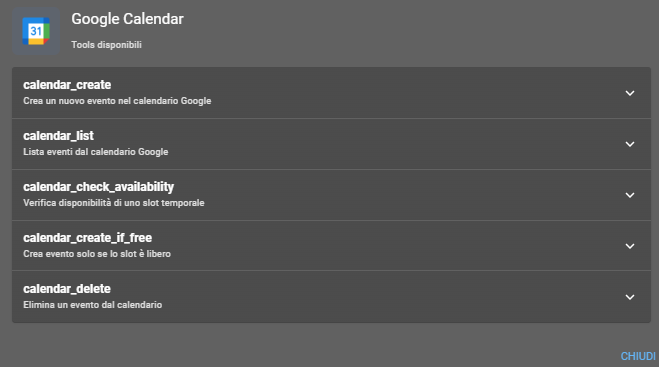
Discover what each Tool does
You will see the complete list with name and description of each tool. Click on one of them to expand it and see details.
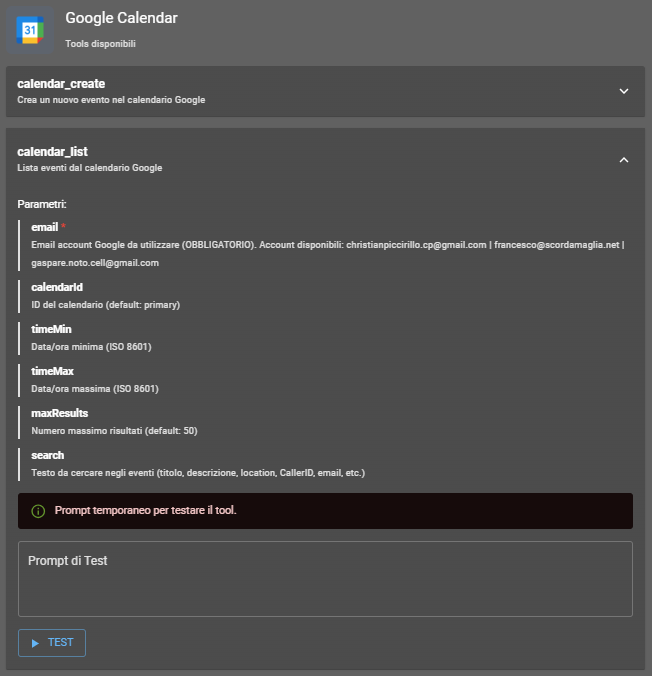
Test the Tool
By expanding a tool you will see the required parameters and a test area. Write a test prompt and click TEST to verify functionality. Remember: the plugin must be configured first!
Your installed plugins
Find the list of plugins you have acquired or installed. Click on the plugin to access its configuration and customize its operation according to your needs.
AI4CALL INTEGRATIONS
✓ IMMEDIATAMENTE DISPONIBILI







Tools are the specific functionalities that each plugin makes available to your AI assistant. For example, a Google Calendar plugin can have tools to create events, check availability or list appointments. The AI assistant automatically uses these tools during conversations with your customers.
Yes, most plugins require initial configuration (such as authorization to access your Google Calendar account or entering API credentials). Without configuration, tools will not function properly even in testing phase.
Click on the Tool List icon (the grid) next to the plugin name. A panel will open with the complete list of all available tools, each with name and description of its functionalities.
The test allows you to verify that the plugin is correctly configured and works as expected. You can write a test prompt (e.g., 'List tomorrow's appointments') and see in real time how the tool responds, before activating it on your AI assistant.
Each plugin has its own pricing model, visible in the plugin's own card. Many are free, others have a monthly cost. Price and renewal date are always clearly indicated under the plugin name.
Yes, once a plugin is installed, configured and active, the AI assistant can use its tools autonomously during conversations. The AI decides when it is appropriate to use a tool based on the call context.
In the How-To section you find step-by-step guides for each available plugin. Click the 'Discover how to configure it' button in the plugin card or visit the How-To section directly from the main menu.