
Marketplace Plugin
Explore and install plugins developed to extend the functionality of your AI phone assistant. The marketplace offers ready-to-use solutions for integrations with external services, advanced automations, and custom features.
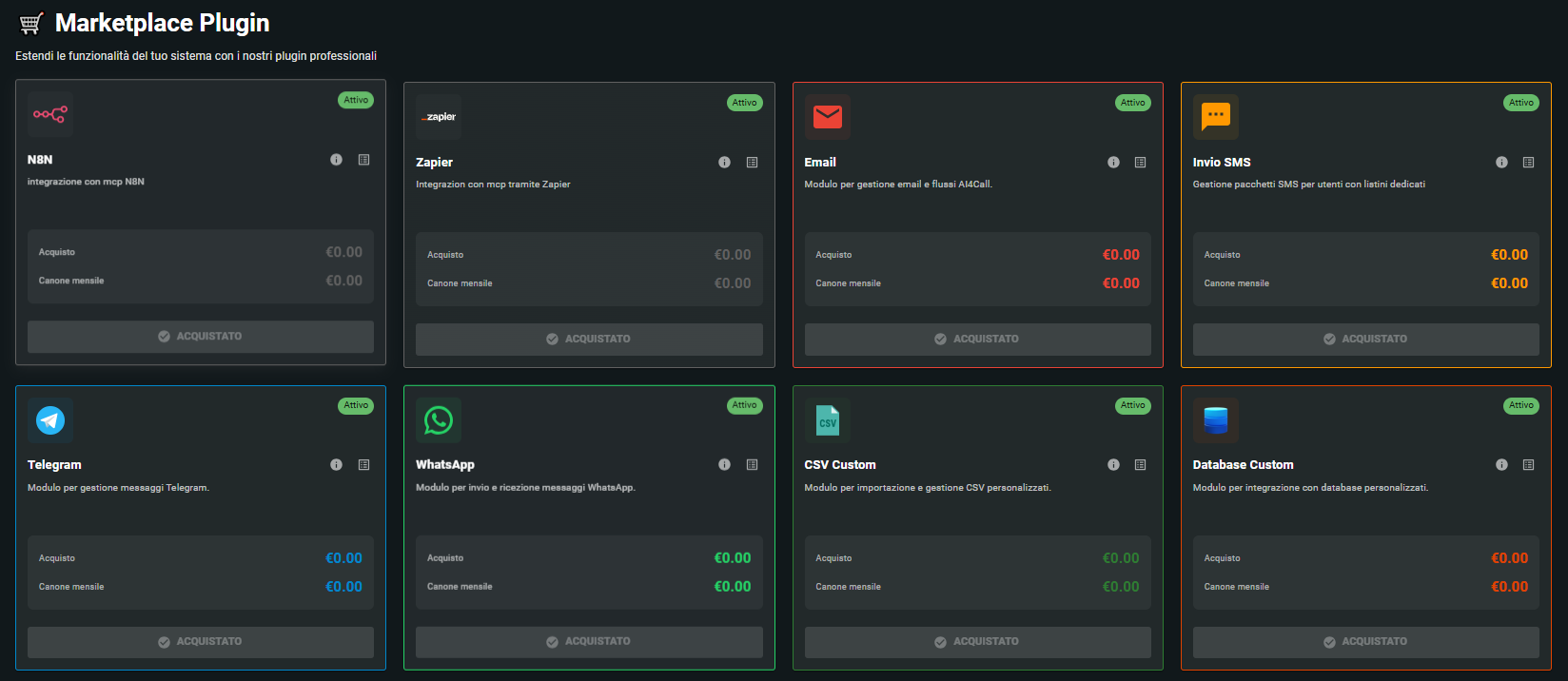
IMMEDIATAMENTE DISPONIBILI
 Zapier
 n8n
n8n
 WhatsApp
 Telegram
 Email
Email
 Google Calendar
 Calendly
 Excel
Excel
 Database Connector
 AssiEasy Connector
 Condomatica Connector
 Agenzia Immobiliare
PROSSIMI RILASCI
 Make
Make
 Salesforce
 HubSpot
 Zoho
Zoho
 Pipedrive
 Outlook Calendar
 Magento
 WooCommerce
 Shopify
How to Get a Plugin
Explore the Marketplace
Browse categories or use search to find the plugin that meets your needs. Read descriptions, reviews, and ratings from other users.
Choose and install
Free (FREE) and paid plugins can be installed directly. Installation is automatic.
For paid plugins, credit is deducted according to the terms of use of the installed plugin.
Configure and activate
After installation, configure the plugin parameters in the "My Plugins" section and set it up to start using it.
AI4CALL INTEGRATIONS
✓ IMMEDIATAMENTE DISPONIBILI
⏳ PROSSIMI RILASCI
| Integrazione | Categoria | Disponibilità | Utilizzo |
|---|---|---|---|
|
Make |
Automation | 01/2025 |
Automazioni visuali con Make. Sarà necessario il tuo account Make con scenari configurati. |
|
Salesforce |
CRM | 01/2025 |
Integrazione completa CRM Salesforce. Richiederà credenziali Salesforce e autorizzazioni API. |
|
HubSpot |
CRM | 01/2025 |
Sincronizzazione contatti e deal HubSpot. Necessiterà API key dal tuo account HubSpot. |
|
Zoho CRM |
CRM | 01/2025 |
Integra Zoho CRM per gestione lead e clienti. Userà OAuth 2.0 per autenticazione sicura. |
|
Pipedrive |
CRM | 02/2025 |
Sincronizza opportunità e attività Pipedrive. Richiederà API token dal tuo account. |
|
Magento |
E-commerce | 02/2025 |
Connetti store Magento per gestione ordini. Richiederà REST API key dal backend Magento. |
|
WooCommerce |
E-commerce | 02/2025 |
Integra store WooCommerce. Userà WooCommerce REST API con chiavi consumer. |
|
Shopify |
E-commerce | 02/2025 |
Connetti negozio Shopify. Necessiterà access token e permessi API Shopify. |
|
Outlook Calendar |
Calendar | 02/2025 |
Gestisci appuntamenti Outlook. Si integrerà con account Microsoft 365/Outlook. |
The plugins on AI4CALL are MCP (Model Context Protocol) Servers. In simple terms, they are technological "bridges" that allow your AI Phone Assistants to communicate with external services to perform actions they normally wouldn't know how to do (like sending an SMS, writing to a file, or activating a workflow).
Currently, almost all plugins available on the AI4CALL Marketplace are free (cost €0.00). The only exception is the SMS service, for which you need to purchase credit packages to send messages.
To activate a plugin, go to the "Marketplace" section, locate the desired module (e.g., Email, N8N, Zapier) and click the "Purchase" button. Even if the plugin is free, this step is necessary to add it to your list of active tools.
Once you click "Purchase" in the Marketplace, you will find all your active plugins in the "My plugins" section. From this area you can access settings and configure each individual service (e.g., insert API Keys or configure emails).
This is all correct. Clicking "Purchase" in the Marketplace for the SMS plugin only serves to activate the service in your private area ("My plugins"). No cost is charged at this stage. The actual purchase of messages occurs later.
Payment for SMS occurs exclusively within the "My plugins" section. After activating the SMS plugin from the Marketplace, go to "My plugins", select the SMS module and choose the message package you wish to purchase. It is only at that point that money will be deducted from your available credit.